Node + Ts + Mongodb 增删改查封装
俗言有道,自奉必减几分方好,处世能退一步为高。
之前有很多的前后端开发,数据库其实是一个项目运行的必须的一环,也是很重要的一环。
数据库千千万,合适的到底有哪些?
数据库有哪些
跳过废话
- 关系型数据库
- 非关系型数据库
- 键值存储数据库(key-value)
- 列存储(Column-oriented)数据库
- 面向文档(Document-Oriented)数据库
- 图形数据库
MongoDB!
https://www.mongodb.com/home
几句话。
不管是kv的内存型redies,还是文档型的mongodb,上手都很都很简单,而且,文档型数据库跟json很像啊,那就更容易理解了,再加上性能还凑合,就他了呗,而且还有mongoose这种玩意,写着毫无压力,个把小时就上手了
敲黑板!时间就是金钱啊,先上了再说玩会了这个流程,是什么数据库不重要,都是store,根据配置切不同实现就完事。至于后面要考虑的存和取的性能和场景,不需要一开始就过度考虑。
妄论一下。
1.Node在io并发处理比较擅长,mongodb也是擅长读写的,两者这方面很契合,mongodb在大数据方面也比较擅长。
2.mongodb是文档数据,数据结构是bson,也可以说是json,而众所周知json是来源于JavaScript object,nodejs又是以js为编程语言。
Js为底层语言
很直观的体现了,在进入Mongo时,执行1 + 1会返回2,dddd
看到这里,其实也跃跃欲试了,如何像博主一样花费30分钟就可以玩得转它?
我知道你很急,但是你先别急。
安装流程
很保姆级了,往下看。
下载。
安装。
无需配置环境变量。
能理解到这一步,其实对shell这类,还有系统这类有一定认识了,mongo.exe其实就是一个cmd程序。
我的bin文件夹
打开目录下的终端,这里不管是cmd还是terminal都可以
先别急着一步步操作,看教程是为了学会,请耐心通读本段落
mongod.exe是创建mongodb的进程,也就是打开数据库的程序
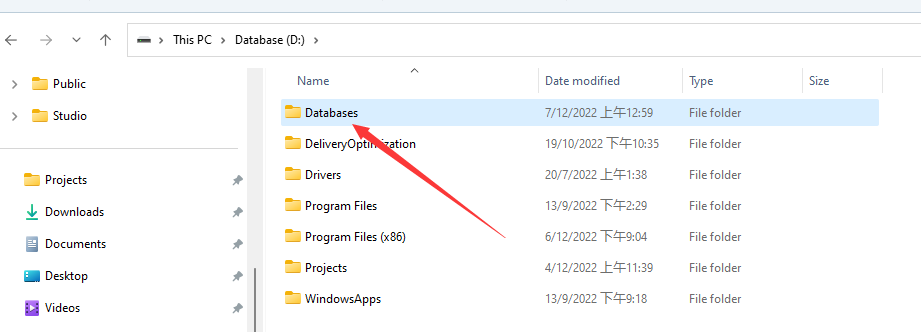
我在D:/创建了文件夹Databases/Mongodb
刚创建文件夹肯定不会像我一样有文件。。。
1
| mongod.exe --dbpath "D:/Databases/Mongodb/"
|
执行完后,你会发现你的文件夹里面生成了文件。
然后,
打开数据库。。。
mongosh.exe是一个可以操作mongodb的命令行程序
到这里,你拥有了一个Mongodb数据库。
使用方法
创建数据库
尝试使用一个自定义的数据库:
1
2
3
4
5
| > use test_db
switched to db test_db
> db
test_db
>
|
1
2
3
4
5
6
| > show dbs
admin 40.00 KiB
config 72.00 KiB
local 72.00 KiB
test_db 8.00 KiB
>
|
“为什么我use的test_db不在里面?”
1
2
3
4
5
6
7
8
9
10
11
12
| > db.test_db.insert({"name":"测试"})
DeprecationWarning: Collection.insert() is deprecated. Use insertOne, insertMany, or bulkWrite.
{
acknowledged: true,
insertedIds: { '0': ObjectId("63917571c6696a553b3fc68c") }
}
> show dbs
admin    40.00 KiB
config   72.00 KiB
local    72.00 KiB
test_db   8.00 KiB
>
|
出现了。
在这一步,Mongodb会在你插入数据的时候自动创建数据库。(很方便)
删除数据库
1
2
3
| > db.dropDatabase()
{ ok: 1, dropped: 'test_db' }
>
|
集合
列出
创建
1
| db.createCollection(name, options)
|
options
| 字段 | 类型 | 描述 |
|---|
| capped | 布尔 | (可选)如果为 true,则创建固定集合。固定集合是指有着固定大小的集合,当达到最大值时,它会自动覆盖最早的文档。当该值为 true 时,必须指定 size 参数。 |
| autoIndexId | 布尔 | 3.2 之后不再支持该参数。(可选)如为 true,自动在 _id 字段创建索引。默认为 false。 |
| size | 数值 | (可选)为固定集合指定一个最大值,即字节数。如果 capped 为 true,也需要指定该字段。 |
| max | 数值 | (可选)指定固定集合中包含文档的最大数量。 |
删除
文档
于集合下的一个子函数,可以理解为集合的下一级,而文档内存储的就是业务逻辑中的主要内容
插入
1
2
3
| db.COLLECTION_NAME.insert(document)
或
db.COLLECTION_NAME.save(document)
|
更新
1
2
3
4
5
6
7
8
9
| db.collection.update(
<query>,
<update>,
{
upsert: <boolean>,
multi: <boolean>,
writeConcern: <document>
}
)
|
DB类封装
1
2
3
4
5
6
7
8
9
10
11
12
13
14
15
16
17
18
19
20
21
22
23
24
25
26
27
28
29
30
31
32
33
34
35
36
37
38
39
40
41
42
43
44
45
46
47
48
49
50
51
52
53
54
55
56
57
58
59
60
61
62
63
64
65
66
67
68
69
70
71
72
73
74
75
76
77
78
79
80
81
82
83
84
85
86
87
88
89
90
91
92
93
94
95
96
97
98
99
100
101
102
103
104
105
106
107
108
109
110
111
112
113
114
115
116
117
118
119
120
121
122
123
124
125
126
127
128
129
130
| import * as mongodb from 'mongodb';
import { DBI } from './interfaces';
export class Db implements DBI {
public client: mongodb.MongoClient | undefined;
public db: mongodb.Db | undefined;
static instance: Db | null;
static getInstance() {
if (!Db.instance) throw "No Event!"
return this.instance;
}
constructor(DB_CONN_STRING: string, DB_NAME: string) {
this.connection(DB_CONN_STRING, DB_NAME);
}
public insert<T = mongodb.Document>(collectionName: string, doc: mongodb.OptionalId<T>): Promise<mongodb.InsertOneResult<mongodb.Document>> {
return new Promise<mongodb.InsertOneResult<mongodb.Document>>(async (resolve, reject) => {
try {
this.db?.collection(collectionName).insertOne(doc).then(resolve).catch(err => {
throw err;
});
} catch (err) {
reject(false);
}
});
}
public insertMany<T = mongodb.Document>(collectionName: string, docs: mongodb.OptionalId<T>[]): Promise<mongodb.InsertManyResult<mongodb.Document>> {
return new Promise<mongodb.InsertManyResult<mongodb.Document>>(async (resolve, reject) => {
try {
this.db?.collection(collectionName).insertMany(docs).then(resolve).catch(err => {
throw err;
});
} catch (err) {
reject(false);
}
});
}
public delete<T = mongodb.Document>(collectionName: string, filter: mongodb.Filter<T>): Promise<mongodb.DeleteResult> {
return new Promise<mongodb.DeleteResult>(async (resolve, reject) => {
try {
this.db?.collection(collectionName).deleteOne(filter).then(resolve).catch(err => {
throw err;
});
} catch (err) {
reject(false);
}
}).catch(err => {
return err;
});
}
public deleteMany<T = mongodb.Document>(collectionName: string, filter: mongodb.Filter<T>): Promise<mongodb.DeleteResult> {
return new Promise<mongodb.DeleteResult>(async (resolve, reject) => {
try {
this.db?.collection(collectionName).deleteMany(filter).then(resolve).catch(err => {
throw err;
});
} catch (err) {
reject(false);
}
}).catch(err => {
return err;
});
}
public update<T = mongodb.Document>(collectionName: string, filter: mongodb.Filter<T>, update: mongodb.UpdateFilter<T>): Promise<mongodb.UpdateResult> {
return new Promise<mongodb.UpdateResult>(async (resolve, reject) => {
try {
this.db?.collection(collectionName).updateOne(filter, update).then(resolve).catch(err => {
throw err;
});
} catch (err) {
reject(false);
}
}).catch(err => {
return err;
});
}
public find<T = mongodb.Document>(collectionName: string, filter: mongodb.Filter<T>): Promise<any[]> {
return new Promise<any>(async (resolve, reject) => {
try {
resolve(this.db?.collection(collectionName).find(filter));
} catch (err) {
reject(false);
}
}).catch(err => {
return err;
});
}
public aggregate(_collectionName: string, _pipeline: object[]): Promise<any[]> {
throw new Error('Method not implemented.');
}
private connection(DB_CONN_STRING: string, DB_NAME: string): Promise<mongodb.MongoClient> {
return new Promise<mongodb.MongoClient>(async (resolve, reject) => {
try {
if (!this.client) {
const client: mongodb.MongoClient = new mongodb.MongoClient(DB_CONN_STRING);
await client.connect();
this.db = client.db(DB_NAME);
this.client = client;
console.log("[Mongodb] class inited.");
}
resolve(this.client);
} catch (err) {
reject(err);
}
});
}
}
|
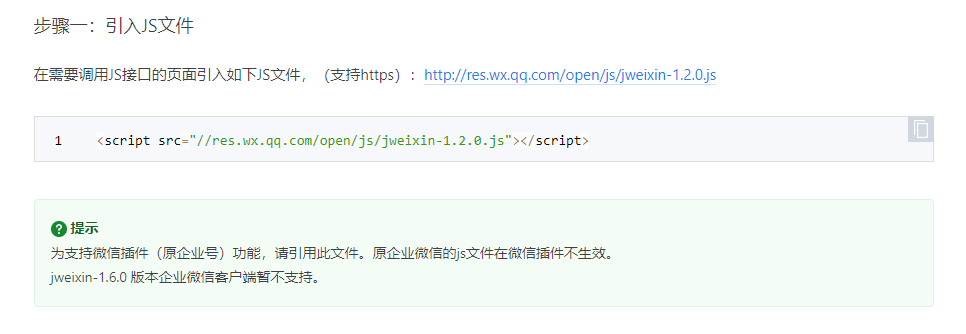
JS-SDK引入
emmmmmm内心复杂。
照理来说微信不该对组件编程陌生,这里居然还用半嵌入式页面开发。
既来之,则安之,我把它转为对象引入到项目,这部分有很多大佬都做了,因为没什么技术门槛。